Introduction
In today’s hyper-connected ecosystem, digital assets form the backbone of almost every professional workflow. Whether you operate as a freelance writer, manage a remote marketing team, lead software development, or build a personal brand as a content creator, your daily work revolves around links. You handle landing pages, research papers, design mockups, analytics dashboards, campaign tracking URLs, affiliate links, and social profile paths.
However, as the sheer volume of web resources expands, managing these assets becomes increasingly complex. What starts as a convenient set of browser bookmarks quickly degenerates into an unorganized, chaotic clutter. Critical links get lost in endless Slack threads, campaign tags are misconfigured, and broken URLs silently erode user trust and search engine performance.
Without a deliberate strategy for URL organization, professionals face fragmented workflows, poor team collaboration, and a decaying digital footprint. Effective link management has evolved from a simple convenience into an essential operational standard for modern digital work.
What is URL Management?
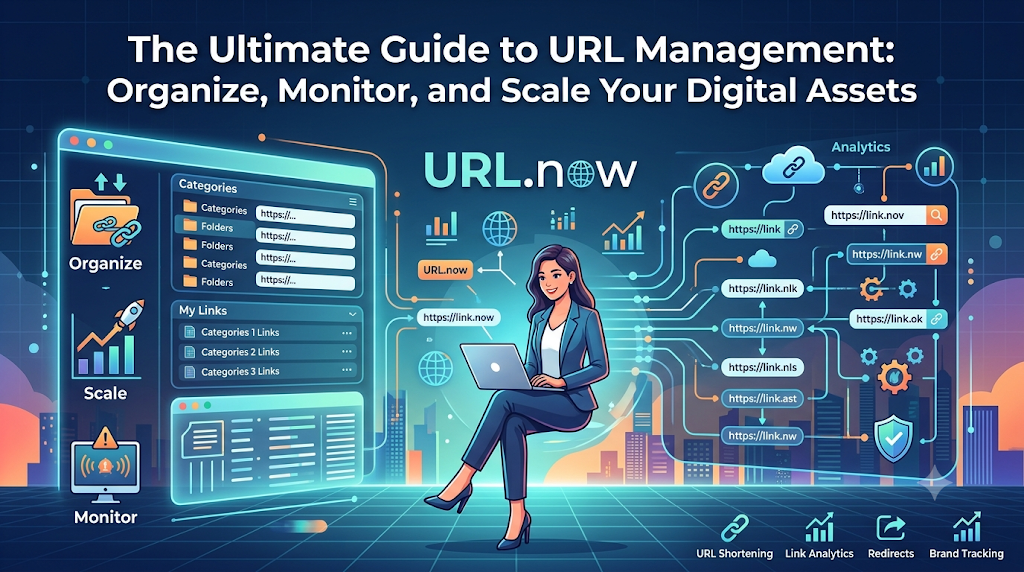
At its core, URL management is the systematic process of collecting, categorizing, organizing, monitoring, and sharing web links throughout their operational lifecycle. Rather than treating links as static text strings scattered across documents and browser windows, structured URL management views web addresses as vital digital assets that require active maintenance and governance.
       +-------------------------------------------------------+
       |               URL Management Lifecycle                |
       +-------------------------------------------------------+
                                   |
        +--------------------------+--------------------------+
        |                                                     |
        v                                                     v
+---------------+                             +---------------+
| Asset Context |                             | Asset Health  |
+---------------+                             +---------------+
| • Categorization                            | • Uptime & Status Check
| • Metadata & Tagging                        | • Expiration Tracking
| • Access Control                            | • Redirect Verification
+---------------+                             +---------------+
Proper link management encompasses several core disciplines:
- Centralized Storage: Replacing fragmented local browser bookmarks with a single, searchable repository accessible from any device or environment.
- Structural Organization: Grouping links logically into clear categories, custom folders, tag hierarchies, or contextual collections rather than endless lists.
- Health & Status Monitoring: Automated tracking to ensure target destinations remain active, responsive, and free of HTTP errors (such as 404 Not Found or 500 Internal Server Errors).
- Metadata & Context Mapping: Adding titles, descriptions, custom tags, and campaign identifiers so anyone on a team understands a link’s exact purpose without having to open it first.
- Distribution & Accessibility: Presenting curated groups of links to specific audiences via branded portals, portfolio pages, or customizable “link in bio” interfaces.
Why URL Management Matters for Modern Workplaces
When organizations scale, their digital footprints expand exponentially. A single marketing campaign can involve dozens of UTM-tagged links, variant landing pages, design previews, and content briefs. Without a unified system, information silos naturally form.
Implementing a dedicated URL organizer tool delivers immediate operational benefits:
- Eliminating Context Switching: Switching between apps, email threads, and browser histories to find a single link destroys deep focus. An organized dashboard keeps essential destinations seconds away.
- Preserving Knowledge Continuity: When team members depart, their local browser bookmarks leave with them. Centralized asset management ensures company knowledge remains accessible to the whole team.
- Protecting Brand Equity: Broken or misdirected links harm user experience and signal neglect to search engine crawlers. Continuous URL health monitoring safeguards your SEO investments and brand reputation.
- Streamlining Collaboration: Sharing a structured collection of links via a single short path is cleaner and far more professional than dropping a wall of messy URLs into a client chat.
Common Problems People Face with Unmanaged Links
Most digital professionals do not set out to build an unorganized digital ecosystem. Rather, link rot and bookmark inflation happen gradually over time.
Here are the primary pain points that occur without a centralized link management strategy:
1. The Bookmark Graveyard and Scattered Links
Browser bookmarks were designed in the 1990s for simple, single-user navigation across a handful of favorite sites. Modern workflows quickly overwhelm them. Users end up with hundreds of poorly labeled bookmarks spread across different browsers, personal laptops, work computers, and mobile devices. Syncing issues and lack of deep search capabilities turn bookmarks into black holes where saved content goes to die.
2. Silent Link Decay and Broken URLs
Websites continuously evolve. Content moves, page structures change, domains expire, and server configurations shift. This results in “link rot.” When a link breaks, you rarely receive a notification. Instead, your clients, readers, or customers encounter an ugly 404 error page. For e-commerce businesses and content publishers, broken URLs lead directly to dropped conversions and diminished search visibility.
3. Expired Campaigns and Outdated Content
Marketing teams launch time-sensitive campaigns, seasonal promotions, and event signups every quarter. Once a promotion ends, associated URLs are often forgotten. Outdated links left live on social channels, legacy blog posts, or third-party partner sites continue to drive traffic to expired offers, confusing potential customers and creating administrative headaches.
4. Fragmented Team Collaboration
When launching a project, onboarding an employee, or sharing deliverables with a client, team leads often send long lists of links across various communication tools like Slack, Email, WhatsApp, and Google Docs. Important references get buried under daily message feeds, forcing colleagues to repeatedly ask, “Where is the link for that document again?”
5. Blind Spots in Digital Footprint Management
Over time, brands build an expansive network of digital touchpoints: landing pages, third-party press mentions, social profiles, partner portals, and media assets. Without a centralized digital footprint management tool, tracking every public link representing your brand becomes nearly impossible, creating security vulnerabilities and inconsistent brand messaging.
Why Modern Professionals Need a Dedicated URL Management Tool
Resolving digital clutter requires moving beyond simple browser extensions and basic spreadsheet lists. Modern work environments demand a robust link management platform built explicitly for high-density information handling.
+-----------------------------------------------------------------------+
|                    Unified URL Management Platform                    |
+-----------------------------------------------------------------------+
                                   |
      +----------------------------+----------------------------+
      |                            |                            |
      v                            v                            v
+------------------+     +--------------------+     +-------------------+
| Knowledge Hub    |     | Automated Safety   |     | Public Portals    |
+------------------+     +--------------------+     +-------------------+
| • Deep Search    |     | • Health Checking  |     | • Link Portfolios |
| • Folder Tree    |     | • Error Alerts     |     | • Link in Bio     |
| • Custom Tags    |     | • Expiration Dates |     | • Client Hubs     |
+------------------+     +--------------------+     +-------------------+
Centralized Dashboard Control
A dedicated platform serves as a single source of truth for your digital assets. Instead of searching across browser menus or searching old chat logs, every internal document, public asset, research reference, and campaign route lives in one accessible, searchable workspace.
Structural Flexibility: Folders, Categories, and Tags
Every team organizes information differently. A robust management tool offers hierarchical organization, allowing users to build top-level workspace folders (e.g., Client Projects, Internal SOPs, Q3 Marketing) alongside custom tag systems (e.g., #urgent, #design, #draft, #social). This dual structure ensures assets remain easy to locate through multiple pathways.
Advanced Searchability
Finding an item should take seconds, not minutes. Full-text search capabilities allow you to locate saved URLs by page title, target domain, custom description, tag, or original path, saving valuable time during busy workdays.
Automated Monitoring Over Manual Checks
Checking dozens—or hundreds—of links manually for broken paths or server errors is a poor use of time. Modern platforms automate this process completely, continuously pinging destinations in the background and alerting you the moment a link fails or redirects incorrectly.
Understanding URLsNow
When evaluating how to bring structure to your digital operations, URLsNow provides a clear, unified answer. Designed to address the demands of modern web navigation, URLsNow serves as a centralized hub that brings order, safety, and operational speed to your daily online workflow.
Rather than acting merely as a basic online bookmark container, URLsNow approaches web addresses as active digital assets. The platform provides a workspace where individuals, cross-functional teams, agencies, and enterprise publishers can collect, structure, monitor, and distribute their link ecosystems effortlessly.
By placing powerful asset organization and automatic broken link monitoring inside an intuitive dashboard, URLsNow removes the friction from managing large link environments. Whether you need to organize internal development documentation, curate client resources, manage complex ad campaigns, or maintain a public digital portfolio, the platform adapts to your workflow requirements without unnecessary complexity.
Core Features and Practical Applications
Understanding how a platform resolves daily operational bottlenecks requires examining its core tools and practical applications.
+----------------------------------------------------------------------+
|                     URLsNow Core Feature Suite                       |
+----------------------------------------------------------------------+
|  [Organizer & Folders] -------> Hierarchical Asset Organization      |
|  [Link Collections] ----------> Grouped Asset Distribution & Sharing |
|  [Health Monitoring] ---------> Automatic Status & 404 Detection     |
|  [Campaign Tools] ------------> UTM & Promotion Management            |
|  [Link in Bio & Portfolios] --> Public Digital Asset Showcase        |
+----------------------------------------------------------------------+
1. URL Organizer
The base foundation of URLsNow is its high-density URL organizer tool. It lets users ingest, index, and organize web links into clean, customizable view layouts.
- Practical Application: A content marketer saving references for an industry whitepaper can drop 30 research URLs into the organizer, attach contextual summaries to each item, and tag them by topic. Rather than managing a mess of open tabs, the entire research kit stays organized and accessible for writing.
2. Folder Management & Link Collections
The platform provides nested folder structures alongside modular “Link Collections.” Folders keep your private internal workspace clean, while Collections let you package curated groups of links to share publicly or send directly to collaborators.
- Practical Application: An agency onboarding a new client can construct a shared Link Collection containing design systems, project roadmaps, invoice portals, and brand guidelines. Instead of sending ten emails, the agency shares a single, polished collection link.
3. Automatic Broken Link Monitoring & URL Health
Links break without warning due to server updates, domain changes, or deleted content. URLsNow includes an automated URL health monitoring tool that runs background status evaluations on your saved items.
[ Saved Link ] ---> [ Automated Background Check ] ---> [ Status 200 OK ]  ---> (Healthy)
                                                    ---> [ Status 404/500 ] ---> [ Instant Alert ]
- Practical Application: A blog editor maintains articles containing hundreds of outgoing affiliate and source links. The platform’s automated engine continuously checks destination paths. If an affiliate destination goes down or throws a 404 error, the system flags the link, allowing the editor to swap it out before losing revenue or SEO performance.
4. Campaign Link Management
Marketing campaigns rely heavily on complex parameters, custom UTM tags, and time-sensitive landing pages. Managing these variables across multiple channels requires strict operational discipline.
- Practical Application: A digital marketing agency running multi-channel campaigns across Google, Meta, and LinkedIn can store every custom-tagged destination within a unified campaign dashboard. Marketers can easily set expiration dates, track target behavior, and ensure ad traffic always reaches active, high-converting pages.
5. Link Portfolio Management & Free Link in Bio
For creators, consultants, and public figures, controlling how audience traffic moves across social platforms is critical. URLsNow features custom portfolio builders alongside a fast, free link in bio tool.
- Practical Application: An independent designer can build a public page showcasing their portfolio, latest articles, store link, and social profiles. As new projects launch, updating the central dashboard instantly reflects across all public touchpoints, eliminating the need to update individual bio links across multiple networks.
6. Digital Footprint Management
As businesses grow, maintaining visibility over every web property, sub-domain, and public profile becomes challenging. The platform functions as a digital footprint management tool, keeping your brand’s digital presence documented and monitored.
- Practical Application: A corporate IT and communications team can catalog every official social account, media kit, sub-domain, and PR distribution path. This central registry ensures complete visibility, helping teams audit official assets and quickly address rogue or unauthorized brand pages.
Real-World Use Cases Across Disciplines
Systematic URL management delivers valuable benefits across every major digital role and industry discipline.
+-----------------------------------------------------------------------+
|                    Cross-Industry Asset Management                    |
+-----------------------------------------------------------------------+
| • Bloggers & Publishers   --> Affiliate Health & Source Archiving     |
| • Digital Agencies        --> Client Onboarding & Deliverable Hubs    |
| • Software Developers     --> API Spec & Environment Tracking         |
| • Researchers & Educators --> Citation Collections & Reading Lists    |
| • Content Creators        --> Bio Pages & Cross-Platform Funnels      |
+-----------------------------------------------------------------------+
Bloggers & Content Publishers
Publishers rely on dense webs of internal and external references. Using a dedicated content link management tool allows writers and editorial teams to:
- Maintain active, working affiliate links to protect site revenue.
- Organize research materials and source citations by article topic.
- Audit legacy blog content regularly to eliminate dead outbound links.
Digital Marketing Agencies
Agencies balance multiple clients, each with distinct campaign assets, analytics portals, and media channels. With a structured management hub, agency teams can:
- Build custom asset dashboards for every client account.
- Share clean, professional asset kits during client onboarding.
- Standardize UTM tracking across multi-channel ad runs.
Software Developers & Technical Teams
Engineering teams handle vast networks of technical documentation, environment paths, staging servers, and API repositories. Systematic URL management helps developers:
- Store and categorize internal staging, testing, and production environments.
- Maintain instant access to specific API document versions and framework tools.
- Share relevant resource hubs with new engineers during team onboarding.
Researchers & Educators
Academic researchers, analysts, and teachers compile hundreds of web references during their daily work. Organizing these items through structured URL systems allows them to:
- Group online studies, whitepapers, and datasets by research discipline.
- Share structured reading lists and course materials directly with students.
- Preserve online research sources safely to prevent broken citations over time.
Freelancers & Independent Creators
Solopreneurs often wear every operational hat at once, making daily efficiency vital. Using an organized platform enables freelancers to:
- Package portfolio work, client contracts, and intake forms cleanly.
- Maintain a professional, single-link digital presence across social media channels.
- Spend less time hunting for client files and focus on billable work.
Key Business Benefits of Effective URL Management
Adopting a centralized link management strategy delivers clear operational advantages for businesses of any size:
+---------------------------------------------------------------------+
|                      Key Operational Benefits                       |
+---------------------------------------------------------------------+
|  [Productivity]  ---> Eliminates time spent searching for lost links|
|  [SEO Protection] ---> Prevents link rot and eliminates 404 errors   |
|  [Security]       ---> Centralizes governance & controls permissions |
|  [Brand Image]    ---> Delivers clean, professional client portals   |
+---------------------------------------------------------------------+
1. Measurable Productivity Gains
Searching for lost links, re-asking colleagues for document paths, and rebuilding missing reference sets wastes hours every week. Centralizing assets into a fast, searchable database yields immediate productivity gains, helping teams stay focused on high-value tasks.
2. Protected SEO Performance and User Experience
Search engines evaluate sites based on user experience and technical quality. Dead links interrupt user journeys, increase bounce rates, and signal poor site maintenance to search crawlers. Continuous background link checking helps preserve organic search rankings and maintains smooth user journeys.
3. Scalable Information Governance
As organizations hire new employees and expand service lines, maintaining control over internal knowledge grows more difficult. Centralized URL management provides clear administrative structure, ensuring institutional knowledge remains secure, organized, and accessible even during periods of rapid growth.
4. Professional Brand Presentation
Dropping long, unformatted URLs into client communications or public bios can look unpolished. Presenting curated, custom-branded collections and clean portfolio layouts demonstrates operational maturity and reinforces brand trust.
Best Practices for Managing Your Digital Footprint
To get the highest return on investment from your link management processes, adopt these industry best practices:
+--------------------------------------------------------------------+
|               URL Management Operational Playbook                  |
+--------------------------------------------------------------------+
| 1. Standardize Naming   | Use clear, descriptive titles for paths  |
| 2. Implement Tags       | Layer tags across folder structures      |
| 3. Set Up Health Checks | Enable automated alerts for broken status  |
| 4. Audit Quarter-End    | Retire expired campaigns and cleanup old   |
| 5. Restrict Permissions | Limit edit access on core corporate links  |
+--------------------------------------------------------------------+
Establish a Consistent Taxonomy
Avoid generic titles like “Document 1” or “Link.” Standardize asset naming across your team using clear context indicators, such as [Client Name] - Q3 Analytics Dashboard or [SOP] - Design System Guidelines.
Combine Hierarchical Folders with Contextual Tags
Folders work best for structural division (e.g., Departments or Clients), while tags excel at cross-cutting categories (e.g., #draft, #invoice, #social). Combining both tools makes finding specific assets intuitive for every team member.
Automate Health Checks and Review Alerts Promptly
Configure continuous link monitoring so background checks run automatically. When your system flags a 404 error or broken redirect, resolve it immediately to keep your digital ecosystem clean and functional.
Conduct Quarterly Asset Audits
Set a recurring schedule every quarter to review archived folders, remove obsolete internal links, and retire expired promotional campaigns. Keeping your workspace tidy prevents clutter from accumulating over time.
Comparison: Traditional Methods vs. Structured URL Management
| Problem Area | Traditional Method (Spreadsheets & Bookmarks) | Dedicated Solution (URLsNow Platform) | Core Operational Benefit |
| Asset Storage | Scattered across browsers, Slack chats, and local files. | Centralized dashboard accessible from any browser or device. | Single source of truth for all corporate and personal links. |
| Link Integrity | Manual checking; broken links go unnoticed for months. | Automated background health checks with error alerts. | Zero broken paths; protected SEO and user experience. |
| Team Sharing | Copy-pasting long lists of raw text links into emails. | Sharing structured, custom-branded Link Collections. | Cleaner client communication and professional asset presentation. |
| Campaign Asset Control | Misconfigured UTM tags and unmonitored promo links. | Organized campaign folders with status tracking. | Greater conversion accuracy and controlled promotion lifecycles. |
| Public Footprint | Static bio links that require constant manual updates. | Dynamic portfolios and built-in free link in bio pages. | Effortless management of public touchpoints across social channels. |
Feature Matrix: Matching Capabilities to Core User Roles
| Feature Set | Primary Function | Business Value | Ideal User Profile |
| URL Organizer & Folders | Hierarchical link grouping, tagging, and deep search. | Reduces context switching and eliminates search overhead. | Everyone (Freelancers, Developers, Teams) |
| Broken Link Monitoring | Automated status checks for 404s, 500s, and redirects. | Protects site SEO rankings, user trust, and affiliate revenue. | Bloggers, SEO Specialists, Enterprise Publishers |
| Link Collections | Assembling and sharing curated groups of URLs. | Streamlines client onboarding and project resource delivery. | Digital Agencies, Consultants, Educators |
| Campaign Management | Storing UTM variants and tracking promotional routes. | Prevents broken ad funnels and improves campaign accuracy. | Digital Marketers, Growth Teams |
| Link in Bio & Portfolios | Public-facing link showcases and brand landing pages. | Consolidates traffic pathways across social platforms. | Content Creators, Influencers, Solopreneurs |
| Digital Footprint Registry | Centralized tracking for brand assets and domains. | Improves visibility over corporate web presence and brand equity. | IT Managers, Brand Strategists, Enterprise PR |
Frequently Asked Questions
What is a URL management tool?
A URL management tool is a dedicated platform designed to help users collect, organize, monitor, edit, and share web links from a centralized dashboard. It replaces basic browser bookmarks with features like health monitoring, tag hierarchies, and customizable public link collections.
How does automatic broken link monitoring work?
Automatic link monitoring routinely checks your saved URLs in the background. It tests target destinations for HTTP response codes (such as 200 OK, 404 Not Found, or 500 Server Error) and flags failing paths so you can fix broken links before they harm your SEO or user experience.
Why shouldn’t I just use standard browser bookmarks?
Browser bookmarks lack advanced search capabilities, automated health checks, tag hierarchies, and team collaboration options. They remain locked to specific browsers or devices, making them inefficient for professional asset management and team workflows.
How does URL management benefit search engine optimization (SEO)?
Outbound broken links negatively impact user experience and signal poor site maintenance to search engines. Monitoring link health keeps your outbound paths active and working, helping maintain site credibility and crawling efficiency.
What is a Link Collection?
A Link Collection is a curated group of web links organized under a single customizable destination. Collections allow users to package multiple related resources—such as client onboarding documents or research kits—into a single link that is easy to share.
Can a link management platform help with multi-channel ad campaigns?
Yes. Storing UTM-tagged landing page variations inside designated campaign folders makes tracking parameters far easier to manage. It helps prevent misconfigured ad links and ensures user traffic lands on active promotional pages.
What is the difference between custom tags and folders?
Folders provide a strict, top-down structure for storing links by category (such as Client Name or Department). Custom tags apply flexible metadata labels (like #invoice or #urgent) across different folders, making it easy to filter links using multiple pathways.
How does a digital footprint management tool assist larger organizations?
It acts as a centralized registry for all digital assets owned by an organization, including sub-domains, social profiles, external landing pages, and media coverage. This centralized index gives IT and marketing teams clear visibility over the brand’s public presence.
Can content creators use URL management tools as a link-in-bio solution?
Yes. Platforms like URLsNow include built-in link-in-bio features. Creators can assemble personal landing pages showcasing social accounts, stores, and latest content without needing a separate subscription service.
Is URL management helpful for remote and distributed teams?
Centralizing shared resources in an online dashboard ensures remote team members can access critical project files, internal systems, and documentation instantly, eliminating context switching and communication friction across time zones.
How does link decay impact e-commerce operations?
If a product link or promotional landing page breaks, potential buyers encounter an error page instead of checking out. Continuous link health checking ensures e-commerce paths remain operational, preventing lost sales and abandoned carts.
Can I manage both personal and work links within the same platform?
Yes. Flexible platform workspaces allow users to keep personal reading lists and hobbies in private folders, completely separate from work workspaces and client collections.
Conclusion
As digital footprints expand, relying on scattered browser bookmarks, manual link checking, and messy chat threads creates unnecessary friction in your daily work. Web addresses are the pathways connecting your business to its tools, clients, research, and audience. Leaving these assets unmanaged introduces silent productivity losses, broken user journeys, and unnecessary operational risks.
Adopting a comprehensive, systematic approach to link organization turns fragmented web addresses into organized operational assets. By combining structured folder hierarchies, flexible tag systems, automated broken link tracking, and curated public collections, modern professionals can protect their digital work and save valuable time every day.
Whether you run a digital marketing agency, write an enterprise publication, manage software development, or build a personal brand, bringing structure to your digital footprint is one of the highest-yield improvements you can make to your everyday workflow. Take full control of your digital workspace, eliminate broken paths, and streamline your team’s online operations by creating your unified dashboard today at URLsNow.